Creating a portfolio that commands attention worldwide demands a structured plan, strategic curation, and ongoing maintenance.
The sections below guide you through every stage—from defining objectives to supplying free, copy‑and‑paste sample layouts—so you can confidently present your best work.



Why a Standout Portfolio Matters Worldwide
Every professional encounters intense competition, both online and offline. A high‑impact portfolio positions you ahead of countless applicants by delivering proof of skill, style, and results in one place.
A strong first impression increases callback rates, even when hundreds apply. Concrete examples ease hiring concerns faster than résumés alone.
Clear storytelling accelerates trust, especially across international markets and remote hiring processes.
1. Clarify Your Strategy Before You Start
Set a firm foundation by deciding exactly what you need the portfolio to achieve.
Identify Audience and Purpose
Your portfolio must speak directly to its viewers. Frame each selection and design decision around their priorities.
- Audience – Define whether potential employers, freelance clients, or collaborators will review your work.
- Purpose – Decide if you aim to land full‑time roles, secure projects, or showcase thought leadership.
- Timing – Assess how often the portfolio will appear in conversations, job fairs, or elevator pitches.
Choose a Format That Fits Your Style
Select a medium that aligns with your resources and technical comfort level.
- Website builder – WordPress or Squarespace templates grant full creative control without coding headaches.
- Freelancer platform profile – Upwork or Fiverr accounts combine portfolio hosting with job‑board visibility.
- Publishing platform – Medium or Substack doubles as a writing stage and audience‑building tool.
- PDF dossier – A downloadable document attaches easily to emails and application forms.
- QR code – A scannable link on business cards brings mobile users to your work instantly.
2. Curate Your Best Work
After setting objectives, focus on rigorous selection. Quality consistently outranks quantity.
Quality Over Quantity
Include only pieces demonstrating mastery, generating measurable results, or earning top feedback. Each sample should justify its place.
High Google rankings or heavy traffic prove value. Awards, press mentions, or client praise verify credibility.
Recent projects reveal current skills and up‑to‑date technology use.
Show Breadth Without Losing Focus
Variety attracts broader opportunities, yet every example must still serve the portfolio’s niche.
Combine editorial articles with thought‑leadership white papers, if both match your specialization. Add personal passion projects that highlight experimental techniques, provided they reinforce your primary expertise.
Avoid unrelated side gigs that dilute messaging, such as wedding photos inside a photojournalism reel.
3. Optimize Visual Presentation
Great content fails if poor visuals distract viewers.
Use High‑Resolution Assets and Clean Design
Every image, screenshot, or layout must appear sharp on modern displays worldwide.
Capture artwork with professional cameras or edit smartphone shots carefully—adjust lighting, clarity, and saturation until they match commercial standards.
Apply a limited color palette and a two‑font maximum to maintain consistency. Keep white space generous so samples stand out and pages load quickly.
Front‑Load the Strongest Samples
Attention spans shrink, so place flagship projects at the very front.
Hook with a striking hero image or headline achievement. Follow immediately with bullet‑sized context: client name, objective, result.
Conclude each sample with a concise takeaway or metric—traffic growth, conversion uplift, or award recognition.
4. Make Navigation Effortless
An intuitive structure lets viewers locate relevant work within seconds, boosting engagement time.
Logical Structure and Categories
Group pieces by format, date, or topic rather than cramming everything into a single scrolling wall.
- Homepage → Brief bio and hero projects
- Samples section → Filter tabs such as “UX Writing,” “Technical Articles,” or “Brand Photography”
- Testimonials page → Endorsements and case‑study metrics
- Contact page → Email, country‑agnostic phone, and social links
Employ Basic SEO Principles
Search visibility matters even for portfolios. Write descriptive meta titles and meta descriptions for each web page.
Compress images to keep load times low; slow sites drive visitors away quickly.
Integrate keywords that match your expertise but avoid keyword stuffing.
5. Gather Feedback and Iterate
An outside perspective detects gaps you overlook. Share early drafts with mentors, former colleagues, or industry communities.
Ask direct questions such as “Does this sample represent my strongest capability?” or “Is navigation intuitive?”
Incorporate constructive criticism, then repeat the review cycle regularly.
6. Keep the Collection Current
Portfolios become obsolete quickly if ignored.
Continuous Improvement and Relevance
Schedule quarterly checks—remove outdated work and insert recent successes. Update contact details immediately after any change, and refresh design elements when they no longer feel modern.
Replace older screenshots with current interface designs. Swap lengthy case‑study texts for leaner summaries if attention metrics dip.
Audit broken links, especially when hosting projects on external sites.
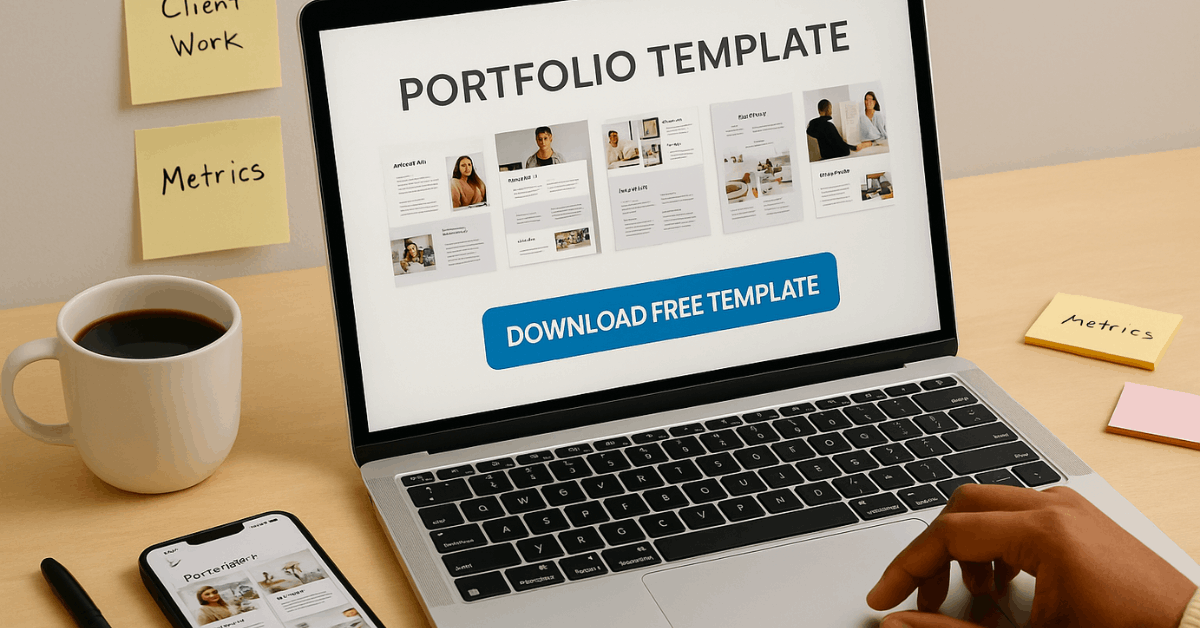
Free Sample Frameworks You Can Copy
Use the templates below as starting points for structuring your own sections.
One‑Page PDF Outline:
- Cover headline, professional logo, and QR code.
- Mini bio (around 100 words) plus contact info.
- Table of contents with clickable links to three core samples.
- Sample pages—image, project goal, actions, outcome metric.
- Testimonials and closing call‑to‑action inviting direct messages.
Website Builder Site Map:
- Home – Hero banner, elevator‑pitch paragraph.
- Portfolio – Filterable gallery view.
- About – Detailed biography, skill matrix, professional photo.
- Blog – Insights proving thought leadership (optional).
- Contact – Form, email, global phone number, and social links.
QR Code Business Card Layout:
- Front side: Name, title, minimalist logo.
- Reverse side: QR code leading to your website and a short tagline such as “Discover award‑winning design solutions.”
Frequently Asked Questions
Here are answers to common questions people have when preparing or updating a portfolio.
- What does “build a portfolio” mean?
It involves assembling your strongest, most relevant work in a structured format that employers or clients can review quickly. - What should a portfolio include?
Focus on accomplishments, metrics, and samples that align with the opportunities you seek. - Is a financial portfolio different from a creative portfolio?
Yes. A creative portfolio showcases projects and skills, whereas a financial portfolio displays asset allocations and investment strategy. - How many pieces should appear?
Aim for four to six exceptional samples rather than dozens of mediocre ones. - Do you need a physical portfolio?
Online options reach audiences worldwide faster, but a slim printed version can reinforce credibility during in‑person meetings.
Conclusion
Building an outstanding portfolio worldwide begins with strategy, follows with ruthless curation, and flourishes through consistent updates.
Apply these steps, adapt the free frameworks, and show your skills without delay.